
Table of Contents
- Quick Comparison: Best Desk Accessories for Office Workers
- How We Picked These Desk Accessories
- 3D Printed Desk Organizers That Actually Stay Organized
- Ergonomic Desk Accessories for All-Day Comfort
- Desk Cable Management Solutions That Keep Cords Hidden
- A CanvasChamp Alternative for Desk Decor: 3D Printed Character
- Small-Space and Neurodivergent-Friendly Desk Setups
- Conclusion: Build a Desk You Actually Want to Sit At
- Frequently Asked Questions
Last Updated: September 13, 2026
Quick Comparison: Best Desk Accessories for Office Workers
The best desk accessories for office workers solve one specific problem each: organization, comfort, cable clutter, or personality. This guide from Bandit's Print Den covers eight categories with real prices and honest trade-offs.
Here's the short version before the details:
| Accessory | Price | Best For | Category |
|---|---|---|---|
| NFC Tap to Connect Display Set | $28.00 | Vendor desks, networking | Tech integration |
| Custom NFC Social Media Keychain | $8.00 | Portable connection sharing | Tech integration |
| Infinity Cube Fidget Toy | $5.00 | Desk fidgeting, focus breaks | Neurodivergent support |
| SquishSpin Textured Spinner | $13.00 | Tactile sensory input | Neurodivergent support |
| Mini Fidgets (Articulated Pocket Pals) | $5.00 | Collectors, desk companions | Personality |
| AWA Grim Desk Buddy | $8.00 | Office humor, gifting | Personality |
| AWA Mummy Desk Buddy | $8.00 | Seasonal decor, gifting | Personality |
| AWA Elephant Desk Buddy | $8.00 | Coworker gifts | Personality |
| AWA Cat Desk Buddy | $8.00 | Cat lovers, desk sass | Personality |
| Starfleet Coasters | $5.00 | Fandom desks, surface protection | Personality |
Most accessory guides miss that a desk setup fails for one of two reasons: too much clutter or zero personality. The picks below fix both.

How We Picked These Desk Accessories
Every item here had to pass three tests: it solves a real workspace problem, costs under $30, and earns its footprint.
The categories match what office workers ask about: cable management, ergonomic support, storage, lighting, charging, and comfort, plus two angles most lists skip, neurodivergent-friendly options and small-space optimization.
Bandit's Print Den is a mobile 3D-printing studio, so every product is printed to order rather than pulled from a warehouse shelf, which matters for customization and the small-batch color options below.
3D Printed Desk Organizers That Actually Stay Organized
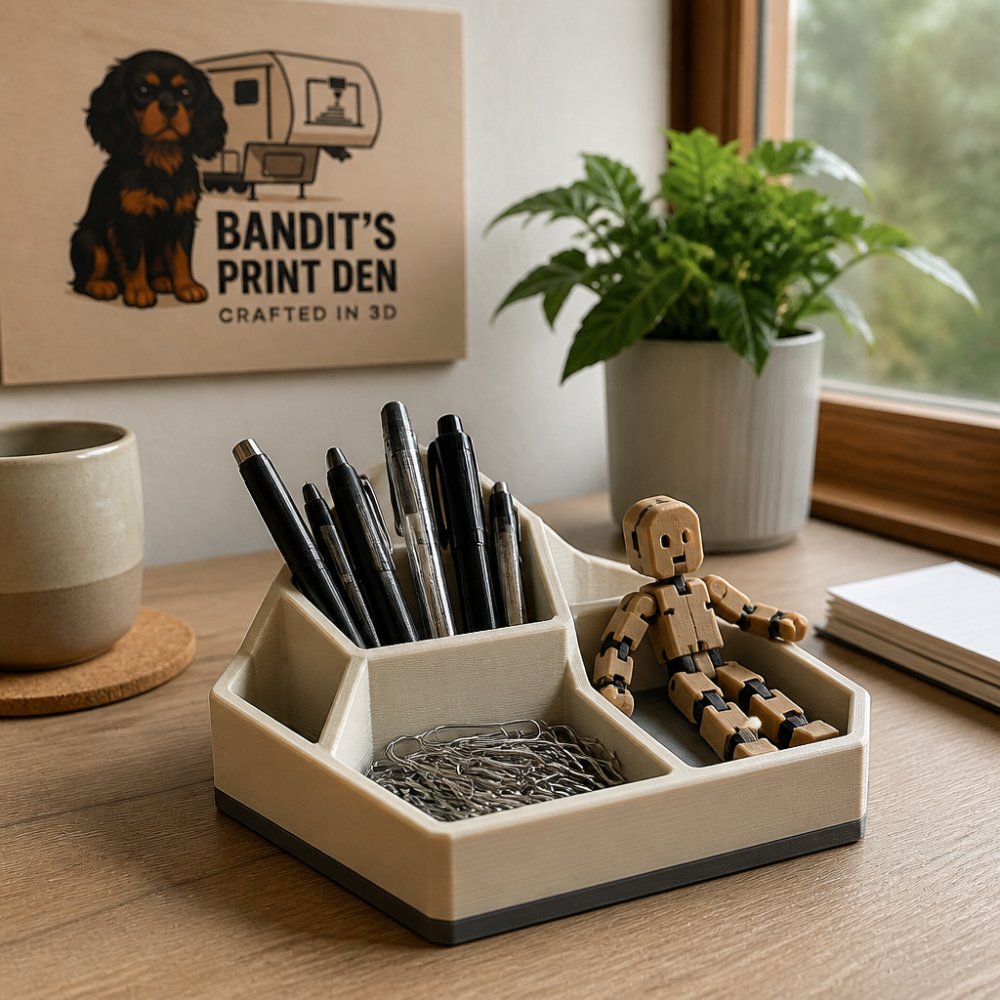
A desk organizer only works if it survives week three. Most trays fail because they're too shallow for real pens or too flimsy to hold a phone. Durable 3D printed desk organizers solve both, and can be printed in colors that match your setup.
The Starfleet Coasters ($5.00) double as a document tray anchor. Cork padding protects surfaces and prevents slipping, so they stay put when you stack papers on top.
The Custom NFC Social Media Keychain ($8.00) clips to a bag or lanyard with its lobster claw clasp, or hangs off a monitor stand to keep your networking link one tap away.

Ergonomic Desk Accessories for All-Day Comfort
Ergonomic desk accessories reduce strain by changing how your body interacts with the desk, not by adding cushions. The most common mistake is buying a wrist rest before fixing monitor height. A wrist support pad under a poorly positioned screen just shifts the problem to your neck.
Fix posture in this order, because each step changes the next:
- Monitor height. The top of the screen should sit at or slightly below eye level, roughly 20 to 28 inches from your face. A monitor mount or a stack of books gets you there; a laptop alone almost never does.
- Keyboard and mouse height. Input devices should sit at or just below elbow height, forearms roughly parallel to the floor. A keyboard tray or adjustable desk does this. If your chair arms sit higher than your elbows, lower or remove them.
- Lumbar support. A chair back that fills the curve of your lower spine reduces the slump that pulls your head toward the screen.
- Wrist support, last. A wrist rest helps most when your forearms already sit level. Added before steps 1-3, it just gives your wrists a new angle to compensate for.
The numbers worth knowing. A standard desk sits 28 to 30 inches high. If you're under about 5'8", that's likely too tall for your elbows without a keyboard tray or footrest. A 3-to-4-inch footrest restores the elbow angle without changing the desk.
Where sensory comfort fits. Ergonomics isn't only about joints. For workers who need tactile input to stay regulated during long calls or focused blocks, a fidget is a legitimate ergonomic tool, not a toy. The SquishSpin 2" Textured Sensory Fidget Spinner ($13.00) uses two ball bearings and a flexible rubber band for a controlled spin. Its textured surface provides tactile input during long calls or focused work. At 2 inches in diameter, it fits in a pocket or beside a keyboard without taking real estate.
The Infinity Cube Fidget Toy ($5.00) measures 1.5 inches square and folds continuously in one motion. Both are printed in PLA: lightweight, battery-free, rigid, and detail-holding, but they soften in a hot car, keep either out of a parked vehicle in summer.

Small-space ergonomics. On a narrow desk, the order above still applies, but the tools change. A clamp-on monitor mount replaces a riser that would eat writing depth. A compact keyboard without a number pad frees 3 to 4 inches of mouse travel, reducing shoulder reach more than any wrist pad.
Desk Cable Management Solutions That Keep Cords Hidden
Cable management is the difference between a desk that photographs well and one that stays clean. The principle is simple: route every cable along a fixed path, bundle it, and anchor it so gravity can't pull it loose. What most guides skip is that the three steps fail in order, people bundle before they route, so the bundle sags, and they anchor with adhesive that fails on a dusty or textured underside.
Here's the sequence that holds up:
- Route first. Decide the single path every cable takes from device to outlet. Monitor, keyboard, and charging cables should share one run along the back edge, not three parallel runs that tangle at the midpoint.
- Bundle second. Group the run into one line with cable ties or a sleeve, so it reads as a single cord instead of five, which matters most when the run is visible above the desk.
- Anchor last. Use adhesive clips along the back edge or under the desk. Clean the surface with an alcohol wipe first, adhesive fails on dust, and a clip that pops off at week two takes the whole run with it.
The measurements that actually matter. A standard cable sleeve runs 0.4 to 0.8 inches in diameter and holds four to six cables. A monitor power cable plus a display cable plus two charging cables puts you at the top of that range, buy the wider sleeve or split into two runs. Adhesive clips hold 0.2 to 0.3 inches of cable each, so a six-cable run needs at least three clips spaced 6 to 8 inches apart.
The trade-offs nobody lists. Sleeves hide cables but trap heat, so don't sleeve a run with a power brick. Adhesive clips are removable but leave residue on painted or laminate surfaces. Under-desk trays hold the most cable but eat 2 to 3 inches of knee clearance, a real problem on a shallow desk.
Where small accessories fit. The Custom NFC Social Media Keychain ($8.00) shows how the same logic applies to small items. Its split keyring and lobster claw clasp give it a fixed home on a bag or desk hook, so it doesn't migrate into a drawer and disappear. The Starfleet Coasters ($5.00) work the same way as a document tray anchor, cork padding keeps them from sliding when you stack papers on top.
A clutter-free setup also means fewer things competing for the same space. If a charging station, document tray, and pen cup all sit within arm's reach of your mouse, at least one gets knocked over weekly. Pick two, and give the third a fixed home outside the mouse zone.
For anyone who finds visual noise distracting, a common pattern among neurodivergent workers, cable management isn't cosmetic. A single visible run instead of five loose cords reduces what your eye has to filter every time you sit down. The goal isn't a perfect photo; it's a desk where nothing moves unless you move it.
A CanvasChamp Alternative for Desk Decor: 3D Printed Character
For anyone searching for a CanvasChamp alternative for desk decor, 3D printed characters offer something a flat print can't: physical presence. A framed print hangs on a wall. A desk buddy sits in your line of sight, holds a sign, and gives you something to fidget with during a long call.
The AWA Grim Desk Buddy ($8.00) stands about 3.5 inches tall with a hooded robe, skeletal face, and one random interchangeable sign from a set including "Final Notice" and "Killing Time." The full sign collection sells separately, including a blank sign for custom messages.
The AWA Mummy ($8.00) and AWA Cat ($8.00) follow the same format at roughly 3 inches tall, each with its own sign collection. The AWA Elephant ($8.00) rounds out the group with a grumpy expression and its own sayings.
Each figure is printed to order and inspected before shipping. Minor layer lines are a normal part of the printing process, not a defect. These are sturdy display pieces, not fragile novelties.
Small-Space and Neurodivergent-Friendly Desk Setups
Small-space and neurodivergent-friendly setups share one rule: every item needs a fixed location. When a desk has no spare surface, an object without a home becomes clutter within a day. Fixed locations also reduce decision load for anyone who finds visual noise distracting.
The practical approach is to assign each accessory a zone: fidgets in one small tray within reach of your non-dominant hand, charging and NFC items at the desk edge, decor behind the keyboard where it won't block sightlines.
The Mini Fidgets ($5.00) fit this system well because they're sized for a standard 2-inch vending capsule, so a small container holds several. They're fully articulated, printed in multicolor filament, and sold with a buy-four-get-one-free offer applied at checkout.
For desks with almost no depth, the NFC Tap to Connect Display Set ($28.00) is the most space-efficient option here. It includes four NFC modules and four connector blocks that keep them aligned as one unit. Each module is pre-programmed to a destination you choose at checkout, so a phone tap opens your link with no app required.
If you're wondering whether a 3D printed item will feel flimsy, the answer depends on the design. Small display pieces and coasters hold up well in daily use. Items with moving parts, like articulated fidgets, are built to be handled rather than displayed.
Conclusion: Build a Desk You Actually Want to Sit At
The hard part isn't finding accessories. It's stopping at the ones that earn their space. A desk with four well-chosen items beats one with twelve.
Bandit's Print Den prints every piece to order from a mobile 3D-printing studio, with free shipping on orders over $35 and a range of desk buddies, fidgets, and NFC accessories that ship ready to use. Start with one item that solves your biggest annoyance, cable clutter, a fidget that disappears into a drawer, or a desk that looks like nobody works there.
Browse the full collection and add to cart.
Frequently Asked Questions
What are some good professional office desk accessories?
Start with items that solve a daily annoyance: a desk organizer for pens and small tools, cable clips or a cable sleeve to stop cord tangling, a wrist support pad, and a task light you can aim. Add one or two personal pieces, like a 3D printed desk buddy or a small fidget toy, so the space feels like yours. The goal is a desk that stays tidy without daily effort and supports your wrists and eyes through a full workday.
How can I organize my desk to be more productive?
Group items by how often you touch them. Put daily tools within arm's reach, weekly items in a drawer, and rarely used gear out of sight. A modular storage tray or 3D printed organizer keeps pens, cables, and sticky notes from spreading across the surface. Route cords through clips or a sleeve along the back edge so they never cross your work area. A clear surface and predictable item locations cut the small interruptions that add up over a day.
Are 3D printed desk accessories durable enough for daily office use?
Yes, when they are printed in PLA and handled normally. PLA holds its shape well at room temperature, which covers a typical office or home desk. Layer lines and slight surface variations are normal for 3D printing and do not affect how a piece functions. For organizers, fidget toys, and desk buddies, that durability is more than enough.
What should every office desk have for cable management?
At minimum, you want cable clips or adhesive mounts to hold charging cords in place, a cable sleeve or wrap for the bundle running to your monitor or dock, and one spot where loose cables collect instead of scattering. Route everything along the back edge of the desk and leave slack near the ports you unplug often. A small tray or bin for spare adapters finishes the job. That combination handles most desk cable management problems without drilling or permanent hardware.
How do I choose desk decor that does not look like generic office supplies?
Look for pieces with a point of view: a specific character, a fandom reference, or a color combination you chose yourself. Custom 3D printed items work well here because you can pick the figure, the sign, or the color instead of accepting whatever a big-box store stocks. A single well-chosen piece on a clean desk reads as intentional, while a shelf of identical mass-produced knickknacks reads as filler. One or two statement pieces beat a crowded surface.
0 comments