
Table of Contents
- What High Quality Custom 3D Printing Services Actually Deliver
- 3D Printing Material Types and How to Choose One
- How to Prepare Files for 3D Printing: A Practical Checklist
- Custom 3D Printing Cost Calculator: What Drives Your Quote
- Quality Signals to Check Before You Order Custom 3D Printing
- Real Custom 3D Printing Projects and What They Cost
- Common Mistakes That Ruin Custom 3D Printing Orders
- Conclusion
- Frequently Asked Questions
Last Updated: September 16, 2026
What High Quality Custom 3D Printing Services Actually Deliver
High quality custom 3D printing services deliver three things consistently: dimensional accuracy within the tolerances you specify, clean surface finish on visible faces, and mechanical properties that match the material you selected. Everything else is marketing.
At Bandit's Print Den, we run a mobile studio out of a fully outfitted fifth-wheel workshop, which means every custom 3D printing job gets inspected by hand before it ships.
The gap between a good print and a bad one rarely comes from the machine. It comes from decisions made before the file is ever sliced. Layer thickness, print orientation, wall thickness, and support placement determine whether an articulated figure moves freely or fuses into a solid lump.
That's the throughline for this guide. Below, we'll cover material selection, file prep, what actually drives your quote, and the quality signals worth checking before you order. We'll also show you the mistakes that ruin most custom 3D printing orders, because avoiding them is faster than fixing them.
| Decision | What It Controls | Typical Impact |
|---|---|---|
| Layer thickness | Surface finish, print time | Thinner layers look smoother, print slower |
| Print orientation | Strength, supports, finish | Wrong axis weakens parts under load |
| Wall thickness | Rigidity, durability | Too thin flexes and cracks |
| Infill density | Weight, strength | Higher infill adds strength and material cost |
| Support structures | Overhangs, cleanup | Poor placement scars visible surfaces |
3D Printing Material Types and How to Choose One
The four mainstream 3D printing material types are PLA, PETG, ABS, and photopolymer resin, plus nylon powders used in industrial processes. For most consumer and small-business custom 3D printing, PLA and resin cover the majority of jobs.
PLA (polylactic acid) is the workhorse thermoplastic for display pieces, articulated figures, and desk accessories. It prints with sharp detail, comes in a huge range of colors including gradients and dual-color blends, and holds dimensional accuracy well. Its limits are heat resistance and long-term UV exposure, so it's a poor fit for a car dashboard in summer.
PETG trades some fine detail for toughness and better heat resistance. If a part needs to flex without cracking, PETG usually beats PLA.
ABS handles higher temperatures and can be smoothed with solvent vapor, but it warps during printing and needs an enclosed chamber. Most hobbyist setups avoid it.
Photopolymer resin wins on surface finish. Resin prints come out glassy and hold very fine features, which is why miniature figures and detailed models often use it. The trade-off is brittleness and the post-processing required: washing and curing.
Nylon and industrial powders (SLS, MJF) produce strong, functional parts with no visible layer direction, but they're typically reserved for engineering and low-volume production runs.
How to Prepare Files for 3D Printing: A Practical Checklist
Learning how to prepare files for 3D printing comes down to one rule: fix the model before you slice it.
Start with a manifold mesh. Non-manifold geometry, inverted normals, and open edges are the three most common file defects, and slicers handle them badly. Most CAD packages export to STL or 3MF; STL is universal but loses units and color data, while 3MF preserves both.
Run this checklist before uploading anything:
- Export as STL or 3MF at the correct unit scale (millimeters, not inches, unless specified)
- Confirm the mesh is watertight with no holes or self-intersections
- Check minimum wall thickness against your material (thin walls fail first)
- Verify build volume fits your part, or plan for splitting
- Set print orientation so load-bearing axes run along layer lines, not across them
- Identify overhangs that need support structures and mark surfaces you want support-free
- Decide infill density based on whether the part is decorative or functional
- Note any tolerance-critical dimensions so the shop can verify them
Orientation deserves its own mention. A part printed flat on its strongest axis resists bending far better than one printed standing up, because layer adhesion is always the weak point. Rotate the model in your slicer and watch how the layer lines fall across the part.
Custom 3D Printing Cost Calculator: What Drives Your Quote
A custom 3D printing cost calculator isn't a single formula. Your quote is the sum of material volume, machine time, labor, and finishing, and each one scales differently.
Custom NFC Social Media / Vendor →
Material cost tracks the actual filament or resin consumed, which includes supports and purge waste, not just the finished part. Machine time is the dominant variable: a tall print at thin layer thickness can run many times longer than the same part printed coarse. Labor covers file review, support removal, and any hand assembly. Post-processing, if you need sanding, smoothing, or painting, adds the most unpredictable line.
Here's how the four levers move your price:
- Size and build volume: Bigger parts consume more material and monopolize the machine longer.
- Layer thickness: Halving layer height roughly doubles print time.
- Infill density: Decorative pieces can run low infill; functional parts need more.
- Supports and orientation: Awkward angles mean more support material and more cleanup.
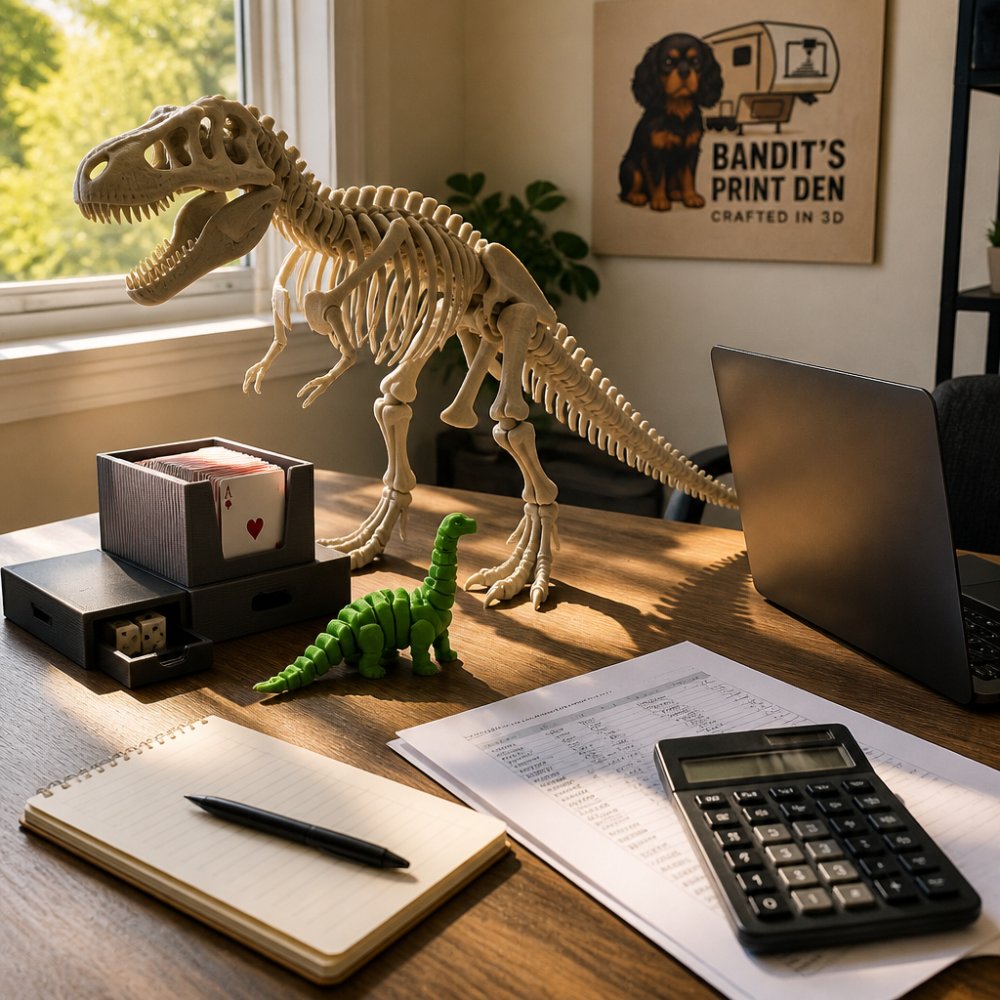
For reference, small finished pieces sit at the low end. A 3D-printed Songbird Water Whistle runs $9.00, a Star Trek themed coaster set starts at $5.00, and a fully articulating T-Rex Dinosaur in two sizes is $13.00.
Quality Signals to Check Before You Order Custom 3D Printing
Before you order custom 3D printing, ask about four things: stated tolerances, surface finish expectations, material compatibility, and what happens if a part fails inspection.
The fourth signal is process transparency.
Real Custom 3D Printing Projects and What They Cost
Real custom 3D printing projects span a wide price range, and the finished pieces usually tell you more about value than any spec sheet.
Common Mistakes That Ruin Custom 3D Printing Orders
The mistakes that ruin custom 3D printing orders are predictable, and almost all of them happen before the printer starts.
Conclusion
Getting a print that holds its dimensions, looks clean, and survives real use comes down to the decisions you make before the file ever reaches a printer. Material choice, orientation, wall thickness, and honest communication with the shop do more for your outcome than any spec sheet.
Frequently Asked Questions
How much does it cost to get a custom 3D print?
Cost depends on size, material, print time, and finishing. Small PLA items start low: Star Trek Themed Starfleet Coasters are $5.00, a Songbird Water Whistle is $9.00, and a Card Game Case & Playing Card Holder is $10.00. Larger or more complex pieces cost more, like a 36-inch XXL Flexi T-Rex Skeleton at $220.00. Most custom 3D printing quotes factor in material weight, print hours, and any post-processing.
What factors determine the quality of a 3D printed part?
Layer thickness, print orientation, material choice, and machine calibration matter most. Thinner layers give smoother surfaces but take longer. Orientation affects strength along layer lines. PLA prints crisp detail and holds sharp edges, which is why it is used across Bandit's Print Den items like the Axolotl Dragon and the T-Rex Dinosaur. Post-processing, including support removal and hand assembly, also shapes the final result.
How do I prepare files for 3D printing if I only have an idea?
You do not need a finished CAD file to start. A sketch, reference photo, or written description works for many custom projects. If you do have a file, export it as an STL and check that the mesh is watertight, scaled in millimeters, and has walls at least 1.2 mm thick. For NFC items like the Custom NFC Social Media / Vendor Keychain, you only need to supply the link you want programmed at checkout.
Will a 3D-printed item feel cheap or flimsy?
Not if it is printed with the right material and settings. PLA is rigid and holds fine detail, which suits display pieces, desk accessories, and articulated figures. Infill density affects weight and strength, and thicker walls make a part feel solid in hand. Hand assembly and inspection add to that impression. A well-finished print sits on a desk like a real object, not a throwaway novelty.
How fast can I get a custom 3D print, and what if I need it by a specific date?
Turnaround depends on size and complexity. Small items print faster than large multi-part builds, and made-to-order pieces need time for printing, assembly, and inspection. If you have a deadline, say so when you order and include it in your checkout notes. Custom projects, like the NFC Tap to Connect Display Set, are printed and programmed to order, so earlier orders leave more room for shipping.
Is custom 3D printing actually custom, or are these pre-made designs?
It depends on the item. Some pieces are printed from licensed designs, such as the Axolotl Dragon, which is produced under a commercial license from its original designer. Others are fully custom, including NFC keychains programmed with your link and wall displays with your chosen colors. Before ordering, ask whether your project starts from an existing model or a new design, and confirm what gets customized.
0 comments