
Table of Contents
- Why Cleaning 3D Printed Desk Accessories Matters
- What You'll Need Before You Start
- Best Cleaning Tools for 3D Prints
- Step-by-Step Guide to Cleaning Your Desk Accessories
- How to Remove Support Marks From 3D Prints
- Maintaining 3D Printed Desk Organizers Long-Term
- Sanitizing High-Touch Desk Items
- Common Mistakes to Avoid
- Frequently Asked Questions
Last Updated: September 27, 2026
Why Cleaning 3D Printed Desk Accessories Matters
Your 3D printed desk accessories deserve care. These items collect dust, fingerprints, and debris just like anything else on your desk. The difference is that 3D printed materials need gentler handling than mass-produced plastic.
At Bandit's Print Den, we craft desk buddies and organizers with precision. But their longevity depends on how you maintain them. Regular cleaning keeps them looking sharp and extends their lifespan significantly.

Dust settles into layer lines and crevices. Fingerprints show easily on lighter filaments. Without proper cleaning, your desk accessories lose their appeal fast. The good news? Cleaning 3D printed items is straightforward when you know the right approach.
Think of it like caring for any desk item, your monitor, keyboard, or office supplies. A little attention goes a long way. Clean 3D printed desk accessories look newer longer and perform their job better, whether that's holding pens, displaying figures, or just looking great.
What You'll Need Before You Start
Gather your supplies before you begin. Having everything ready makes the process faster and prevents damage from scrambling for tools mid-cleaning.
Cleaning Supplies for Different Materials
Different filaments require slightly different care.
For PLA prints:
- Warm water and mild dish soap
- Soft microfiber cloth
- Soft-bristled toothbrush for crevices
- Isopropyl alcohol (70% solution) for stubborn marks
Best Cleaning Tools for 3D Prints
Your toolkit doesn't need to be expensive. Simple, soft tools work best for how to clean 3D printed desk accessories.
Essential tools:
- Microfiber cloths (lint-free, won't scratch)
- Soft-bristled toothbrush (reaches tight spots)
- Spray bottle (for water distribution)
- Cotton swabs (for tiny crevices)
- Soft sponge (never use abrasive scouring pads)
Optional but helpful:
- Compressed air (blows out dust without contact)
- Soft-bristled cleaning brush (larger than a toothbrush)
- Lint roller (captures loose dust before wet cleaning)
Avoid anything abrasive. Scouring pads, steel wool, and rough cloths scratch the surface and expose the layer lines underneath. Your goal is to clean without altering the finish.
Many people make the mistake of using paper towels. They leave lint behind and can catch on rough edges. Microfiber cloths are worth the small investment.
Step-by-Step Guide to Cleaning Your Desk Accessories
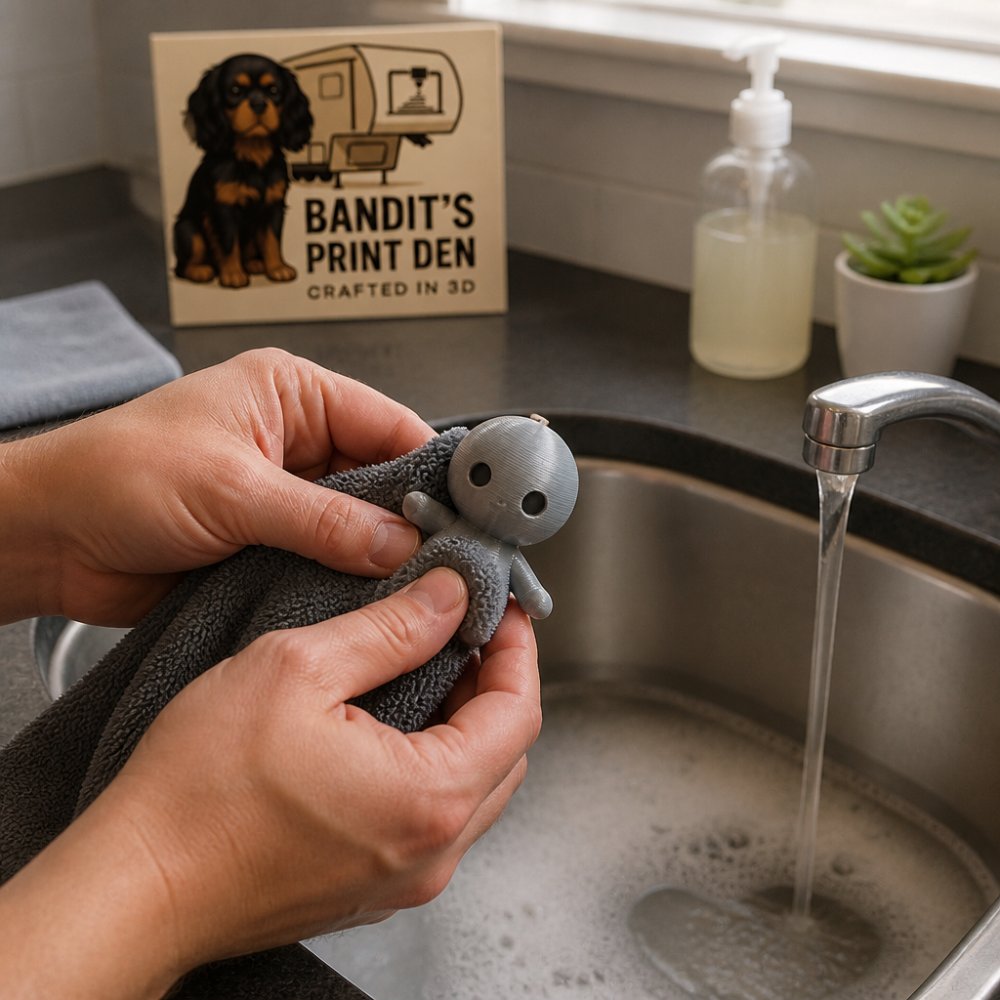
Follow these steps to clean 3D printed desk accessories properly.
Step 1: Remove Dust and Debris
Start dry. Use a compressed air canister or soft brush to remove loose dust first.
Hold the item at arm's length and use short bursts of compressed air. This prevents dust from settling deeper into crevices. If you don't have compressed air, a soft-bristled toothbrush works, brush gently in one direction.
Pay attention to layer lines and gaps. Dust hides in these spots. Spend extra time on any recessed areas or undercuts on your desk accessories.
Step 2: Wash with Mild Soap and Water
Fill a bowl with warm water and add a tiny drop of dish soap. The water should feel warm to your wrist, not hot.
Dip a soft cloth into the soapy water and gently wipe the entire surface. Use a toothbrush for detailed areas. Work slowly, there's no rush.
For stubborn marks or fingerprints, dip a cotton swab in the soapy water and target the spot. Rub gently in circles. Isopropyl alcohol works for greasy residue, but use it sparingly and only on non-porous areas.
Rinse with clean water. Use a damp cloth to wipe away soap residue. This step matters, soap left behind attracts more dust.
Step 3: Dry Completely
This is critical. Moisture left on 3D printed items can cause issues over time.
Use a dry microfiber cloth and pat gently. Don't rub, patting prevents lint transfer and reduces friction on the surface.
Let the item air dry for 10-15 minutes in a warm room. Never use heat sources like hair dryers or ovens. Heat can warp PLA and PETG, especially if the print has thin sections.
Once fully dry, your desk accessories are ready to go back on your desk.
How to Remove Support Marks From 3D Prints
Support structures leave marks. These marks are normal and don't indicate a defect.
If you order from Bandit's Print Den, we minimize support marks during printing and post-processing. Our quality-control expert, Bandit, ensures each piece is cleaned and finished properly before it ships to you.
Maintaining 3D Printed Desk Organizers Long-Term
Regular maintenance prevents deep cleaning emergencies later.
AWA Grim - Funny Grim Reaper Desk Buddy →
Weekly habits:
- Wipe down with a dry cloth
- Dust with a soft brush
- Check for visible dirt or marks
Monthly care:
- Perform a gentle wet cleaning
- Inspect for damage or cracks
- Dry thoroughly after cleaning
Quarterly attention:
- Deep clean with isopropyl alcohol if needed
- Check for wear on high-touch areas
- Address any damage immediately
Store 3D printed desk organizers away from direct sunlight. UV light can fade colors over time, especially on lighter filaments. Keep them in a cool, dry place when not in use.
Temperature fluctuations matter too. Avoid placing desk accessories near heating vents, air conditioners, or windows where temperature swings are extreme. Consistent conditions extend their lifespan.
Sanitizing High-Touch Desk Items
3D printed desk accessories are inherently porous due to their layer-by-layer construction. Unlike smooth injection-molded plastics, the microscopic gaps between layers and the surface texture created by the printing process create ideal conditions for bacteria and viruses to lodge and persist. This makes sanitization more critical, and more nuanced, than cleaning alone.
Why 3D Prints Need Special Sanitization Attention
Mass-produced desk items have smooth, non-porous surfaces that bacteria cannot penetrate. 3D printed items, by contrast, have:
- Layer lines and micro-gaps where bacteria can hide from cleaning agents
- Surface texture that traps oils, dust, and microorganisms
- Recessed areas and undercuts that are difficult to reach with standard wipes
Studies on porous materials show that standard surface wiping removes only 60-70% of bacteria from textured surfaces, compared to 90%+ on smooth surfaces. For desk items you touch daily, pen holders, cable organizers, desk buddies, this difference matters for hygiene.
Safe Sanitization Methods for 3D Printed Materials
Method 1: Isopropyl Alcohol (Most Effective)
Isopropyl alcohol is the gold standard for 3D printed materials because it evaporates quickly and doesn't leave residue.
- Use 70% isopropyl alcohol only. Higher concentrations (90%+) evaporate too fast to be effective and can damage certain filaments. Lower concentrations (below 50%) are ineffective against many pathogens.
- Dampen a lint-free cloth with the solution, do not soak the print
- Wipe all surfaces, paying extra attention to edges, crevices, and areas you touch most
- Use a soft-bristled toothbrush dipped in 70% alcohol to reach recessed areas
- Allow to air dry completely (2-3 minutes) before handling
- Repeat monthly for high-touch items, or weekly during cold and flu season
Why it works: Isopropyl alcohol denatures the proteins in bacterial cell membranes, killing most common office pathogens including Staphylococcus aureus, Escherichia coli, and enveloped viruses like influenza. It is safe for PLA, PETG, and ABS when used at 70% concentration.
Method 2: Mild Soap and Hot Water (Secondary Option)
Method 3: UV-C Light (Emerging Option)
Sanitization Schedule Based on Usage
Daily-touch items (desk buddies you handle, pen holders you use constantly):
- Weekly sanitization with 70% isopropyl alcohol or hot water and soap
- Daily dry wipe with a microfiber cloth
Frequent-touch items (cable organizers, desk organizers you interact with several times daily):
- Bi-weekly sanitization
- Weekly dry wipe
Occasional-touch items (decorative figures, static organizers):
- Monthly sanitization
- Dust as needed
During illness or high-contamination periods (cold, flu, or other respiratory illness in your household):
- Increase sanitization frequency to every 2-3 days for items you touch
- Wash hands after handling desk accessories
Common Sanitization Mistakes
Soaking prints in alcohol: This damages the material and is unnecessary. A quick wipe is sufficient and safer.
Using bleach or quaternary ammonium compounds (Lysol, Clorox wipes): These are too harsh for 3D printed plastics and cause discoloration, brittleness, and surface damage.
Sanitizing without cleaning first: Dirt and organic matter reduce the effectiveness of sanitizing agents.
Common Mistakes to Avoid
Learning what NOT to do saves your desk accessories.
Using hot water: Heat warps PLA and PETG. Warm water is enough. If the water is too hot for your wrist, it's too hot for your print.
Frequently Asked Questions
Can I use isopropyl alcohol to clean 3D printed desk accessories?
Isopropyl alcohol works well for degreasing and sanitizing 3D printed items made from PLA and PETG, but use it sparingly. A 70% concentration is safest, apply it with a soft cloth rather than soaking the print. Avoid prolonged exposure, as high concentrations can weaken layer adhesion over time. For desk accessories you touch frequently, a quick isopropyl wipe followed by a damp cloth rinse is effective for both cleaning and sanitizing.
How do I remove dust from intricate 3D printed desk accessories?
Use compressed air or a soft brush designed for delicate surfaces. Hold the compressed air can upright 6-8 inches away and use short bursts to dislodge dust from crevices. For tight spaces, a soft-bristled toothbrush works well, gently brush along layer lines and detailed areas. Avoid high-pressure compressed air directly on thin features, as it can cause damage. If dust is stubborn, dampen the brush slightly with distilled water.
What's the best way to sanitize 3D printed desk buddies?
Wash with warm soapy water and dry thoroughly, then wipe with a cloth dampened in 70% isopropyl alcohol. For items like the AWA Grim Reaper or Elephant desk buddies that you handle regularly, this two-step process removes germs effectively. Allow the alcohol to air-dry completely. Avoid bleach or harsh disinfectants, which can discolor or degrade PLA plastic. Repeat sanitization monthly or after extended handling.
Can water damage PLA 3D printed desk accessories?
Water alone won't damage PLA, making it safe for regular washing with mild soap and lukewarm water. PLA is hygroscopic, meaning it absorbs moisture slowly, but brief contact with water during cleaning is fine. The key is to dry prints thoroughly afterward with a soft cloth. Avoid soaking items for extended periods or using hot water above 140°F, which can soften PLA and cause warping or dimensional changes.
0 comments