
Table of Contents
- Why Prototype Durability Matters in Additive Manufacturing
- Best 3D Printing Materials for Prototypes
- 3D Print Orientation for Strength
- 3D Printing Wall Thickness and Infill Settings
- Optimizing Print Settings for Durable Prototypes
- 3D Printed Prototype Testing and Quality Assurance
- Design for 3D Printing: Creating Parts That Last
- When to Choose Professional Rapid Prototyping Services
- Frequently Asked Questions
Last Updated: October 17, 2026
Why Prototype Durability Matters in Additive Manufacturing
Durability isn't nice to have in a prototype, it's essential, and 3D printing durable prototypes requires careful attention to material, settings, and design. A prototype that falls apart after a week of testing wastes time, money, and momentum.
A prototype that lasts comes down to three things: material choice, print settings, and design decisions. Get any wrong, and it fails before you learn anything useful.
Best 3D Printing Materials for Prototypes
Material choice is the biggest lever on prototype durability, and where most teams guess. Don't ask "which material is strongest?" Ask "which material survives my prototype's actual load, temperature, and environment?" A stiff-but-brittle material fails differently than a tough-but-flexible one, and either can be right depending on the failure you're preventing.
A Material-Selection Decision Matrix
Use the matrix below to shortlist materials before you print. Ratings are relative, not absolute, and reflect how each material typically behaves in functional prototypes.
| Material | Strength (stiffness) | Toughness (impact) | Heat resistance | Flexibility | Relative cost | Process compatibility |
|---|---|---|---|---|---|---|
| PLA | High | Low | Low | Low | $ | FDM |
| PETG | Medium | High | Medium | Medium | $ | FDM |
| ABS | Medium | Medium | Medium | Low | $ | FDM (enclosed) |
| ASA | Medium | Medium | Medium-High | Low | $$ | FDM (enclosed) |
| Nylon (PA) | Medium-High | High | Medium | Medium-High | $$ | FDM, SLS |
| Carbon-fiber nylon | High | Medium-High | Medium | Low | $$$ | FDM, SLS |
| Standard resin | Medium | Low | Low-Medium | Low | $$ | SLA/DLP |
| Tough/engineering resin | Medium-High | High | Medium | Medium | $$$ | SLA/DLP |
| TPU | Low | High | Medium | Very high | $$ | FDM |
| Metal (DMLS) | Very high | High | Very high | Low | $$$$ | DMLS |
Read the matrix by failure mode. Snapping (brittle fracture)? Move toward toughness: PETG, nylon, tough resin, or TPU. Bending or sagging? Move toward stiffness: PLA, carbon-fiber nylon, or metal. Softening in service?
Thermoplastics vs. Resins: Strength and Toughness Trade-offs
Thermoplastics like PLA and PETG are the workhorses of functional prototyping. PLA is stiff and dimensionally accurate, good for fit checks and low-load brackets, but brittle and heat-sensitive, creeping under sustained load or in a hot car.
Resins produce fine detail and smooth surfaces, but standard resins are brittle and shatter under stress or impact. Engineering and "tough" resins close much of that gap, use them when you need resin detail plus durability.
Environmental and Service-Condition Effects
Durability isn't a room-temperature property. Printed polymers respond to the environment the final product will see:
- UV exposure: PLA, ABS, and many resins yellow and degrade in sunlight; ASA and UV-stabilized materials hold up far better outdoors. If your prototype lives outside, UV resistance is a hard requirement.
- Moisture and humidity: Nylon absorbs moisture, changing dimensions and mechanical behavior; dried filament prints stronger and more consistently. PETG and PLA are far less sensitive.
- Chemicals and oils: Solvents, fuels, and some cleaning agents attack many thermoplastics. Check compatibility before using a material for fluid-handling or underhood prototypes.
Practical rule: write down worst-case service conditions, peak temperature, sun, moisture, chemicals, before picking a material. Eliminate anything that fails them, then choose among survivors by strength and toughness.
Composite Materials and Metal Printing for Load-Bearing Parts
When a prototype must carry real load or match production-part behavior, composites and metals enter the picture. Carbon-fiber nylon raises stiffness and strength while staying light, via FDM or SLS.
The trade-off is cost and lead time. Reserve these for prototypes where durability or material behavior determines whether the design is validated, not every iteration.
3D Print Orientation for Strength
Part orientation on the print bed matters more than most people realize. Layer adhesion, how well each layer bonds to the one below, is where most prints fail under stress.
Build Direction and Layer Adhesion
Layers bond strongest along the print direction (Z-axis) and weakest perpendicular to it. Orient parts so force runs parallel to the layers, not across them.
Example: orient a weight-bearing bracket so the load pulls down through the layers, not sideways across them, the difference can be 3x to 5x stronger.
Handling Overhangs and Support Structures
Overhangs, features extending without support below, require support structures. You remove them after printing, but removal leaves marks and weak points.
Minimize overhangs; if unavoidable, orient the part so they're small and easy to remove. Large, complex supports create stress concentrations that become failure points.
Sand support areas smooth, rough edges and sharp stress concentrations are where cracks start.
3D Printing Wall Thickness and Infill Settings
Wall thickness and infill density control durability and cost. Too thin and the part breaks; too thick and you waste material and print time.
Balancing Cost, Print Time, and Mechanical Properties
For thermoplastics, aim for at least 1.5mm to 2mm on structural walls. Thinner walls work for non-load-bearing features but are fragile.
Infill density is where most people err. 15% to 20% works for decorative parts; functional parts under stress need 40% to 60%; load-bearing parts, 80% to 100%.
Start at 40% infill for functional prototypes. If it survives testing without deforming, you've found your sweet spot; if it fails, increase infill and reprint.
Optimizing Print Settings for Durable Prototypes
Print settings control how well your material bonds together, and optimizing them is key to 3D printing durable prototypes that survive real-world testing. The wrong settings create weak parts that fail under stress.
Layer Height, Print Speed, and Failure Mode Prevention
Layer height is the thickness of each printed layer. Smaller layer heights (0.1mm to 0.15mm) create stronger bonds and smoother surfaces.
Print speed matters too. Faster printing creates weaker layer adhesion; slower printing gives material time to bond properly.
Temperature control is invisible but crucial. Nozzle temperature affects how well material flows; bed temperature affects how well the first layer bonds.
3D Printed Prototype Testing and Quality Assurance
A prototype is only as durable as your testing proves it is. Most guides say "test it" without defining what a pass looks like. A practical durability test plan fixes that: it names the failure modes you are testing for, the method for each, and a pass/fail criterion you can apply consistently across iterations.
Build a Durability Test Plan with Pass/Fail Criteria
Start by listing the failure modes your prototype could realistically experience in service: impact, repeated loading (fatigue), heat, wear, and environmental exposure. Then assign a test and a criterion to each.
| Failure mode | Simple test method | What to watch for | Example pass criterion |
|---|---|---|---|
| Impact | Drop from a defined height onto a hard floor, repeated | Cracking, chipping, shattering | No crack or chip after N drops from the service drop height |
| Fatigue / repeated loading | Cycle the part through its working motion or load repeatedly | Cracks at stress concentrations, stiffness loss | No visible crack or measurable deformation after the target cycle count |
| Heat | Soak in an oven or hot environment at the service peak temperature | Sagging, warping, creep | Part holds shape and function at peak service temperature |
| Wear | Repeated sliding, rubbing, or assembly/disassembly | Material loss, loosening, surface breakdown | Fit and function remain within tolerance after the target cycles |
| Environmental | Expose to UV, humidity, or chemicals per service conditions | Yellowing, swelling, embrittlement | No functional degradation after the exposure period |
Define the numbers before you test, drop height, cycle count, peak temperature, exposure duration, so results are comparable between iterations. A test you cannot repeat is not a test; it is an anecdote.
Functional Testing, Repeated Handling, and Environmental Effects
Begin with basic functional testing: does the part do its job, fit its mating components, and assemble and disassemble without binding? This catches gross design errors before you invest in durability testing.
Then move to repeated-use testing that mirrors real handling. If the prototype is a handle, squeeze it through its expected cycle count.
Environmental testing closes the loop.
Tie Test Results Back to Print Settings and Failure Modes
Testing is most valuable when it points to a fix. Map each observed failure to the print and design variables most likely to cause it:
- Delamination or parts splitting along layer lines: usually layer adhesion, raise nozzle temperature within the material's range, reduce print speed, reduce cooling, or reorient the part so the load runs parallel to layers rather than across them.
- Cracking at corners, holes, or sharp transitions: stress concentration, add fillets, increase wall thickness locally, or reroute the load path.
- Sagging or creep under sustained load or heat: insufficient stiffness or heat resistance, increase wall thickness or infill, or move to a stiffer, more heat-resistant material.
This mapping separates a durability pass from a cosmetic review. Each test result should produce a specific, actionable change, and each change should be re-tested against the same criteria to confirm the fix worked.
Design for 3D Printing: Creating Parts That Last
How you design your part determines whether it survives testing. Good design for 3D printing is different from design for injection molding or CNC machining.
Common Design Mistakes That Weaken Prototypes
Thin walls are the most common mistake. Designers think thin walls save material and print time, they do, but thin walls are fragile.
Sharp corners are the second mistake. Stress concentrates at sharp corners, and a 90-degree corner is a crack waiting to happen.
Long unsupported spans are the third mistake.
Think about how your prototype will be used. Where will it experience stress?
When to Choose Professional Rapid Prototyping Services
Some projects benefit from professional services.
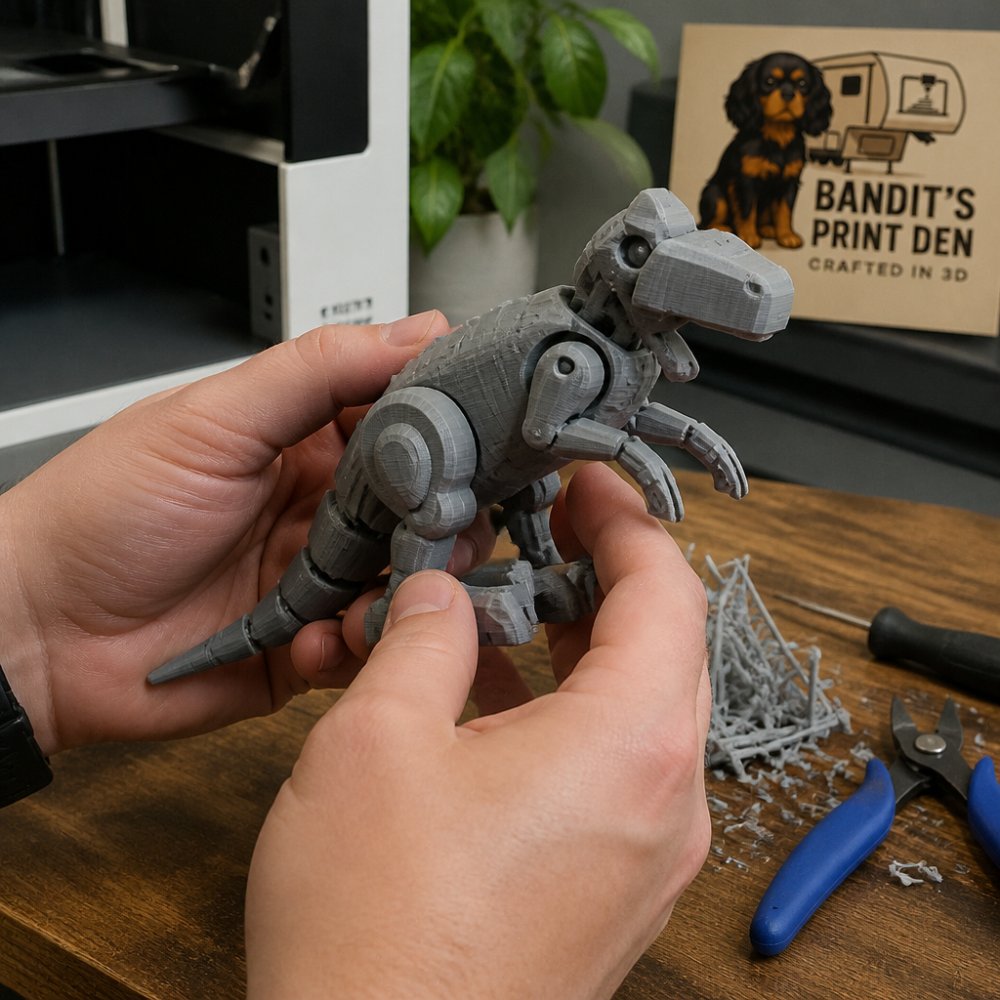
Bandit's Print Den specializes in high-quality articulated 3D-printed figures, desk buddies, and customized projects.
For most custom projects, start with your design requirements, testing strategy, and timeline.
Building a durable prototype starts with material choice and print settings, but it ends with testing. Every prototype teaches you something. Document what works and what fails.
Frequently Asked Questions
How do I make my 3D prints more durable?
Start with material selection: thermoplastics like PETG and nylon offer better toughness than standard PLA for functional prototypes. Optimize print orientation so stress loads align with layer adhesion rather than across it. Increase wall thickness and infill density (60-80% infill for load-bearing parts). Use slower print speeds and smaller layer heights to strengthen layer bonding. Finally, test your prototype under real-world conditions to identify weak points before finalizing the design.
Which 3D printing material is best for functional prototypes?
The best material depends on your prototype's purpose. PETG offers excellent strength and flexibility for repeated handling and fits most functional prototypes. Nylon provides superior toughness and wear resistance for parts that endure friction or impact. Resin (SLA) delivers high dimensional accuracy and fine detail but less impact resistance. For load-bearing applications, consider composite materials or metal printing if your budget allows. Test your material choice against the actual service conditions your prototype will face.
How should I orient a 3D print for maximum strength?
Orient your part so that stress loads run parallel to layer lines rather than perpendicular to them. Layer adhesion is weaker than in-layer bonding, so avoid orienting stress-bearing features vertically if they will experience downward force. For articulated figures and complex geometries, position the part to minimize overhangs and reduce support material, which weakens those connection points. Test different orientations on small prototypes to identify which direction performs best under your specific load conditions.
How can I test the durability of a 3D-printed prototype?
Begin with visual inspection for layer lines, warping, or surface defects. Perform functional testing by simulating the prototype's real-world use: drop tests, repeated handling, load application, or exposure to temperature and humidity changes. Measure dimensional accuracy to ensure tight tolerances are maintained. For articulated figures and moving parts, cycle them through their full range of motion 100+ times to reveal fatigue failure points. Document any failures and adjust print settings, material, or design accordingly before production.
0 comments